SONAPHONE DataSuite S
- Installation of SONAPHONE DataSuite on central company server
- Company license / Workgroup license with unlimited number of users
- Assignment of different user roles (Admin, Head of Maintenance & Operator)
- Shared database on central company server
- Assignment of view rights in different projects possible
- Hosting of the server in the own company
- Central updates of the software
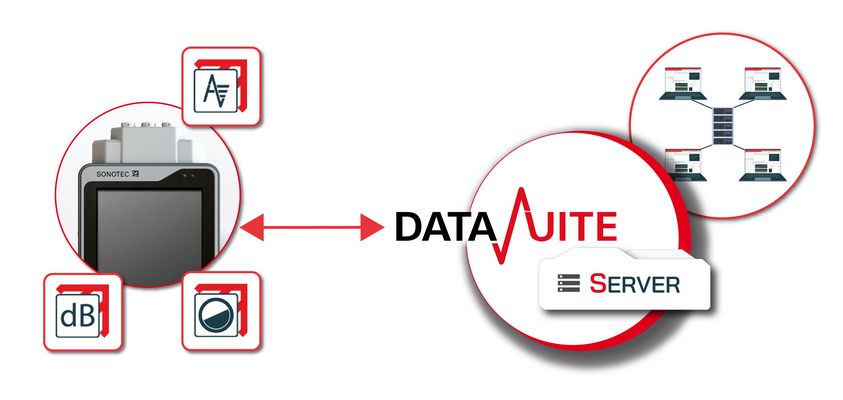
The installation of SONAPHONE DataSuite can be set up via a central server if they are located in a company network with their own administration. This provides high accessibility to the data, independent of platform and location.
Main Functions
ZIP Import LevelMeter App
ZIP-Import SteamExpert App
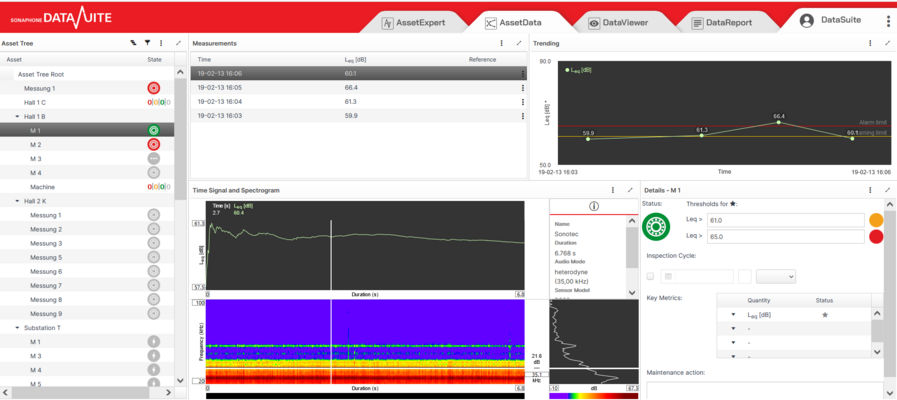
Viewing measurements, ultrasound levels, spectrograms
Listening to all US measurements
Data export as CSV
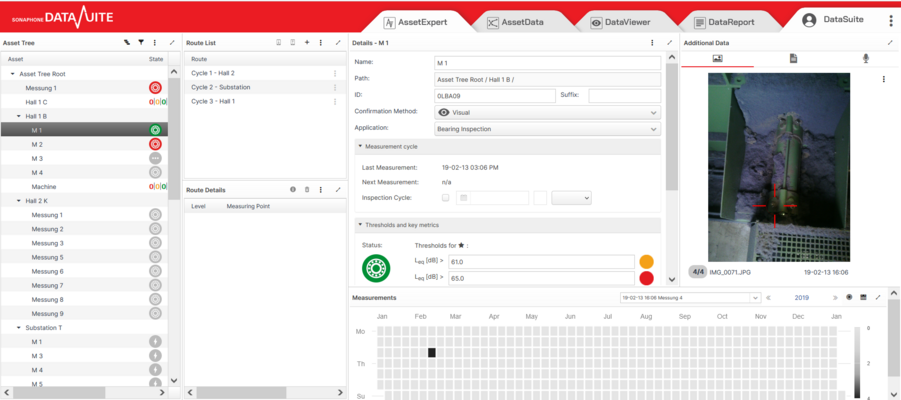
Asset Tree - Filing of measurements in a route tree
Route management
Easy synchronization with SONAPHONE
Reporting function
Trending of ultrasound levels
Creation of different user profiles
Creation of multiple projects & multiple asset trees
Access from different locations
User Roles
Different user roles can be assigned in SONAPHONE DataSuite S:
Head of Maintenance
Prepare the work orders for your colleagues!
- Create and edit the asset tree, assign several applications
- Define routes and assign measuring points to the routes
- Edit the measuring points and corresponding additional data (pictures, text, voice memos)
- Analyze and edit the data synchronized from the SONAPHONE
Operator
Ask your colleagues if work orders need to be finalized or changed!
- View and navigate in the asset tree
- View and navigate in the routes and the assigned measuring points
- Add additional data to the measuring points (pictures, text memos)
- Synchronize routes to the SONAPHONE and collect data
- Synchronize routes from the SONAPHONE and view the test results in the tabs
- View and download reports
Admin
The Admin has edit rights in all projects!
- Create and edit project
- Assign user roles to individual projects (according to test plan)
- Activate SteamExpert Module
Individual user Settings
Individual user settings are saved for each individual user and reloaded when you open the software
- Language
- Scaling of the individual widgets
- Last loaded project and level in the asset tree
- Applied filter settings
More Products for Preventive Maintenance
Do you have any questions?
Feel free to contact us! We will be happy to help you.